Turn on Location Services and GPS
OrangeQC automatically includes your GPS location when you perform inspections, complete checklists, and log visits.
When you first install and launch the OrangeQC app, a pop-up will ask if you'd like to turn on location services. Tap to allow. For more privacy, you can also choose to only allow location services when the app is running.
If you've previously disabled location services, you'll need to turn this feature back on manually.
How to Turn On Location Services on an Android Device
On your Android device:
- Open Settings.
- Tap Location.
- Tap "App location permissions."
- Find OrangeQC in this list and tap it.
- Choose to enable location access while the app is in use.
How to Turn On Location Services on an iOS Device
On your iOS device:
- Open Settings.
- Scroll to the bottom of the menu and tap "Apps."
- Find OrangeQC in this list and tap it.
- Location settings are at the top. Tap to update to "While Using."
Why Use Location Services?
Adding GPS information to your form submissions has two big benefits:
- Confirmation that the form was submitted in the right place
- Better context for teams working over large areas, such as spread-out campuses or outdoor spaces
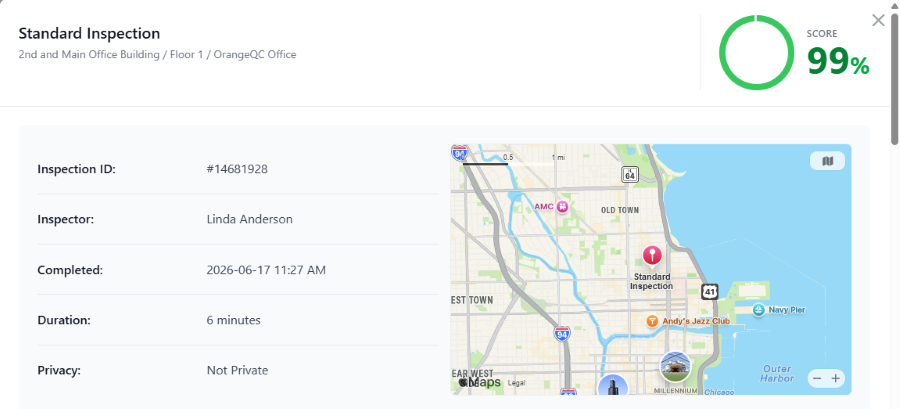
Here's what the top of an inspection form looks like when location services are enabled:
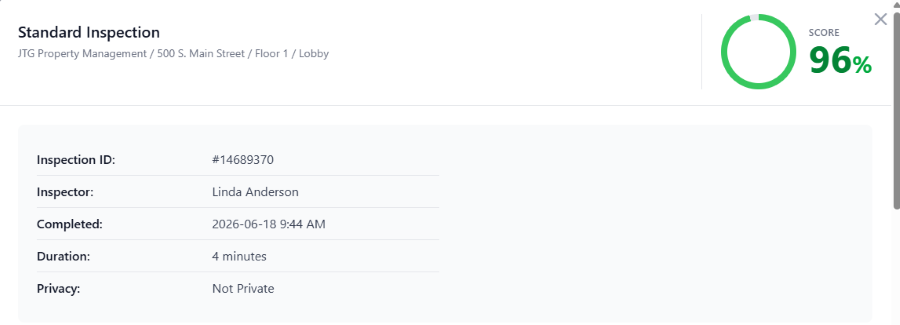
If location services are off, no map will be shown: